evrBridge Highlights
Unlock the Power of Metadata
Camera-Aware Metadata Mapping
Batch Processing
Sidecar Intelligence
Timecode & Sync
Photo & RAW Support
How to import metadata in DaVinci Resolve
evrBridge is a focused Windows utility that bridges the gap between your camera cards and DaVinci Resolve's metadata system.
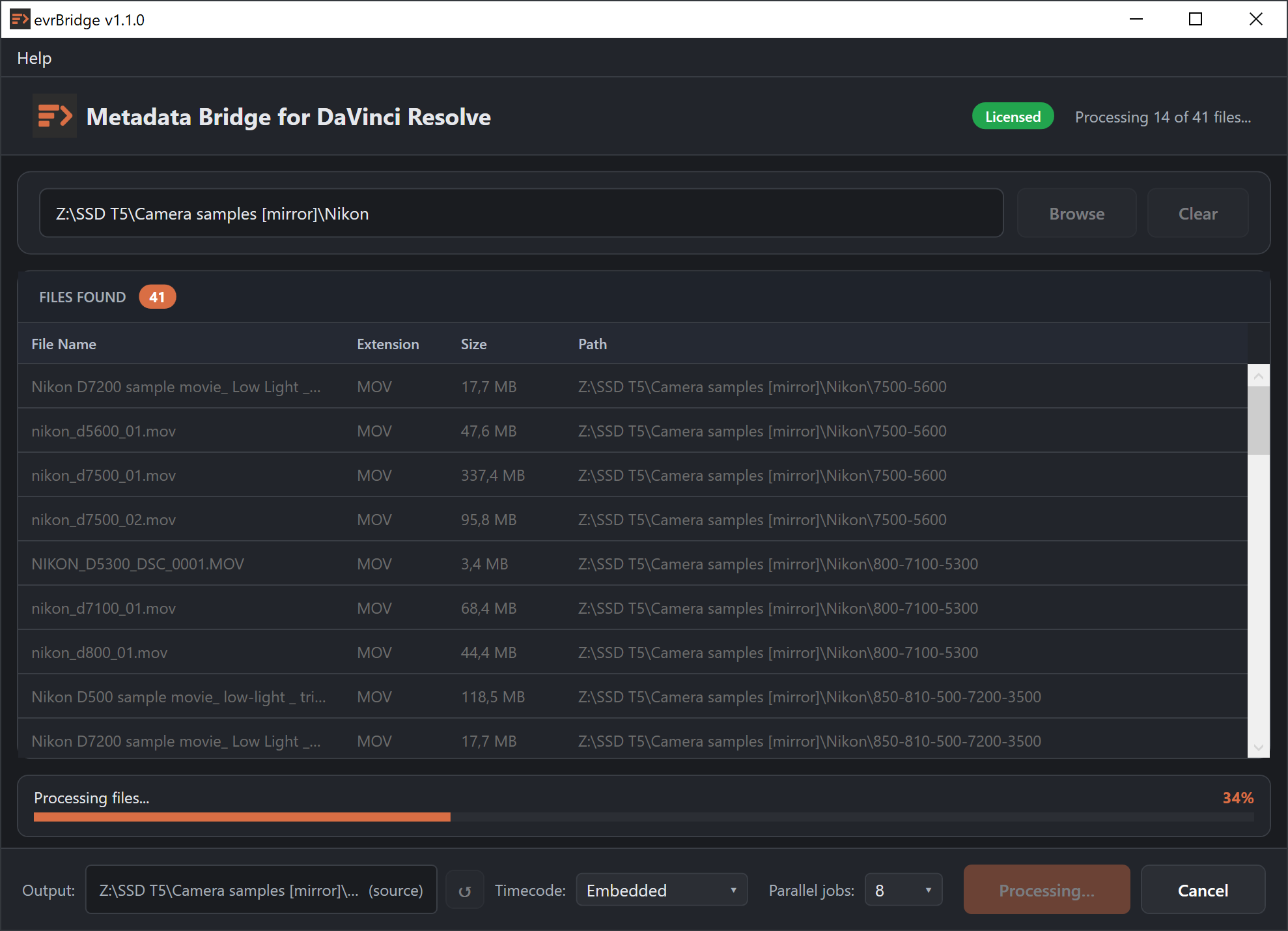
When you ingest footage into Resolve, the Media Pool columns — Camera Type, Scene, Take, ISO, Lens, Gamma Notes, Color Space — are empty by default. Filling them manually across a multi-camera shoot is tedious, slow and error-prone. evrBridge reads the metadata already embedded in your files by the camera and exports it as a structured CSV that Resolve imports in seconds.
It handles the edge cases that generic tools miss: Sony RTMD embedded track data, Canon Cinema gamma hex codes, Panasonic XML fallback values, companion sidecar files and more. One file per clip, one row in the CSV, every field correctly mapped.
evrBridge inherits the mission of evrDVR, evrApp's original metadata export tool, and takes it further: a complete rewrite, built natively for Windows, fully aligned with the metadata extraction capabilities of evrExpanse — the company's flagship tool for macOS, trusted by filmmakers and colorists worldwide. Windows users now have access to the same battle-tested metadata pipeline, purpose-built for their platform.
Supported file formats: `MOV` `MP4` `MXF` `MKV` `R3D` `NEV` `JPG` `PNG` `TIF` `DNG` `HEIC` `AVIF` `ARW` `CR2` `CR3` `NEF` `RAF` `RW2`
Supported cameras: Panasonic, Nikon, Sony Alpha, Sony XDCAM, Fujifilm, Canon, Z-Cam, ARRI, Kinefinity, Atomos, Mcpro24fps, GoPro, Apple iPhone, Blackmagic Camera App
Minimum system requirements:
- Windows 10 or Windows 11
- 64-bit Intel x64 CPU
- DaVinci Resolve® 17 or later
Try before you Buy
Explore everything evrBridge has to offer with a free 15-day full-feature trial.
No credit card required, no file limit, no restrictions. A straightforward way to evaluate the output before committing.
After the trial, evrBridge continues to work in limited mode: 1 file per run.
| Licenses for sale on Gumroad | |
|---|---|
| evrBridge full license | $39.99 |
| Platform | Windows |
Prices in USD, tax excluded. License is perpetual and includes support and free updates within the same major release v.1.x.x
Note: Windows may display a SmartScreen security warning before the installer launches. This is expected behaviour for independently distributed software. You can verify the authenticity of the installer by downloading it exclusively from the official evrBridge page at evrapp.cloud/evrbridge or directly from evrapp.gumroad.com.
👉 Have questions?
contact us at contact[et]evrapp.cloud