evr Clips and Metadata
A free plugin for Adobe Premiere, on macOS and Windows.
Your camera already knows the lens, the ISO, the log profile and the exact time of every shot. Now Premiere knows it too.
evr Clips and Metadata brings the camera metadata that evrExpanse (macOS) and evrBridge (Windows) extract from your footage into Premiere: in columns you can see, sort and search.
Get it on the Adobe Marketplace · User guide
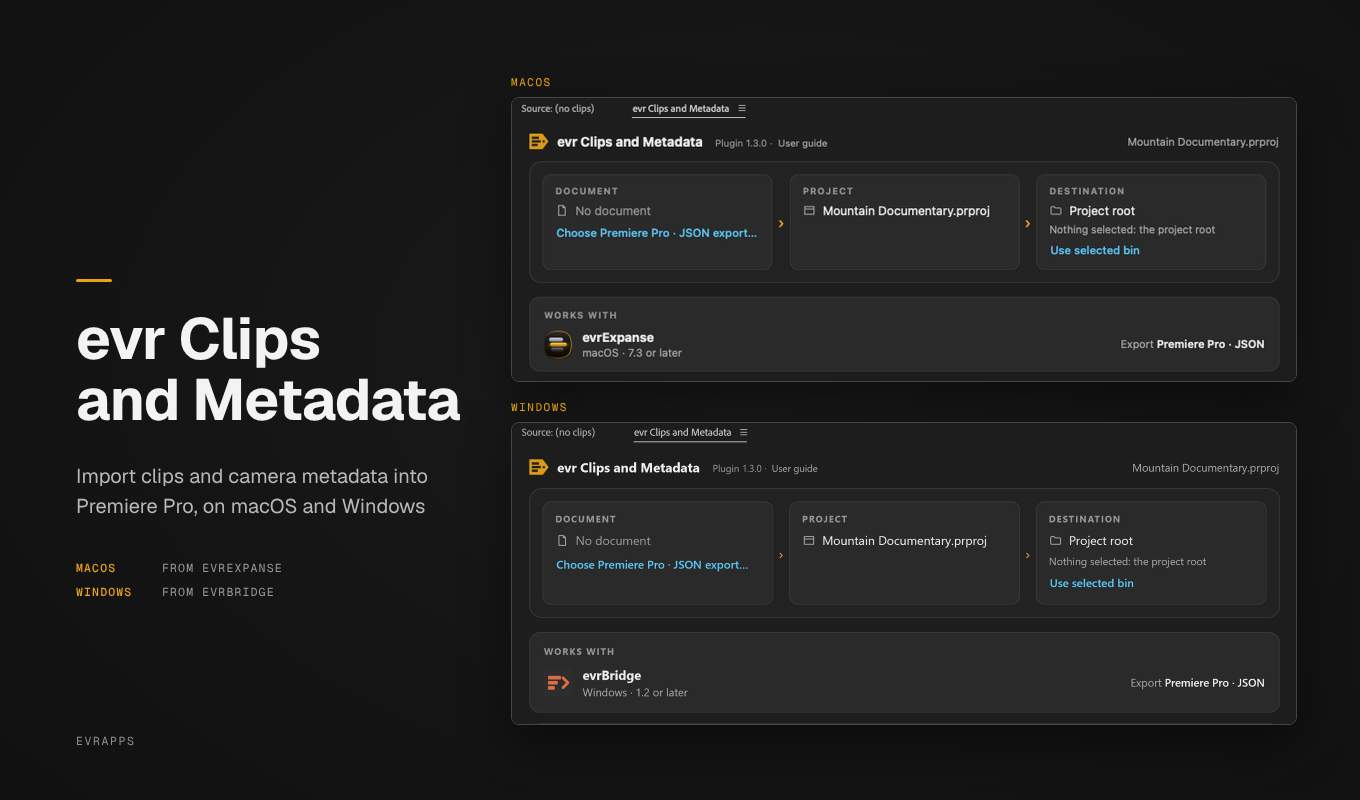
One click, three steps
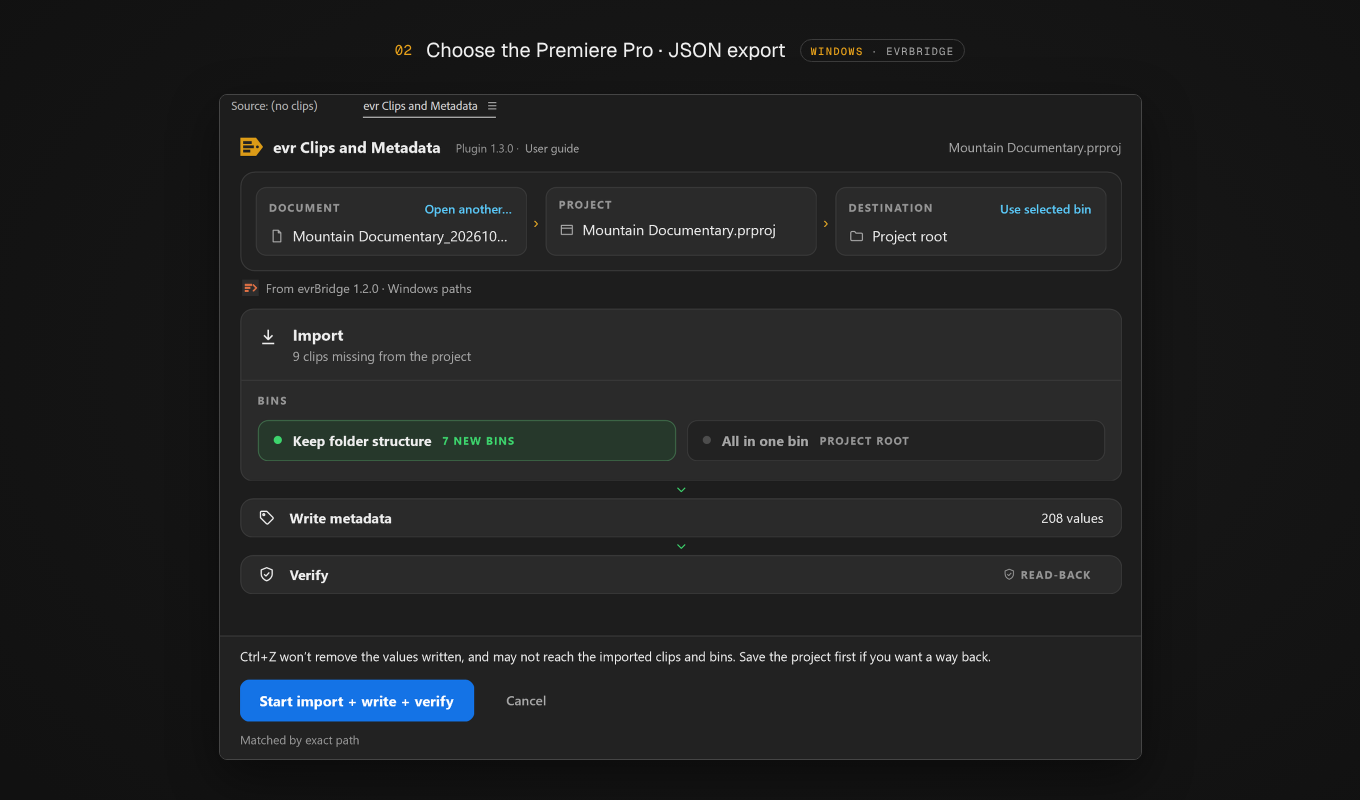
- Import the clips that aren't in your project yet, into the bin you choose, keeping the folder structure or all in one bin.
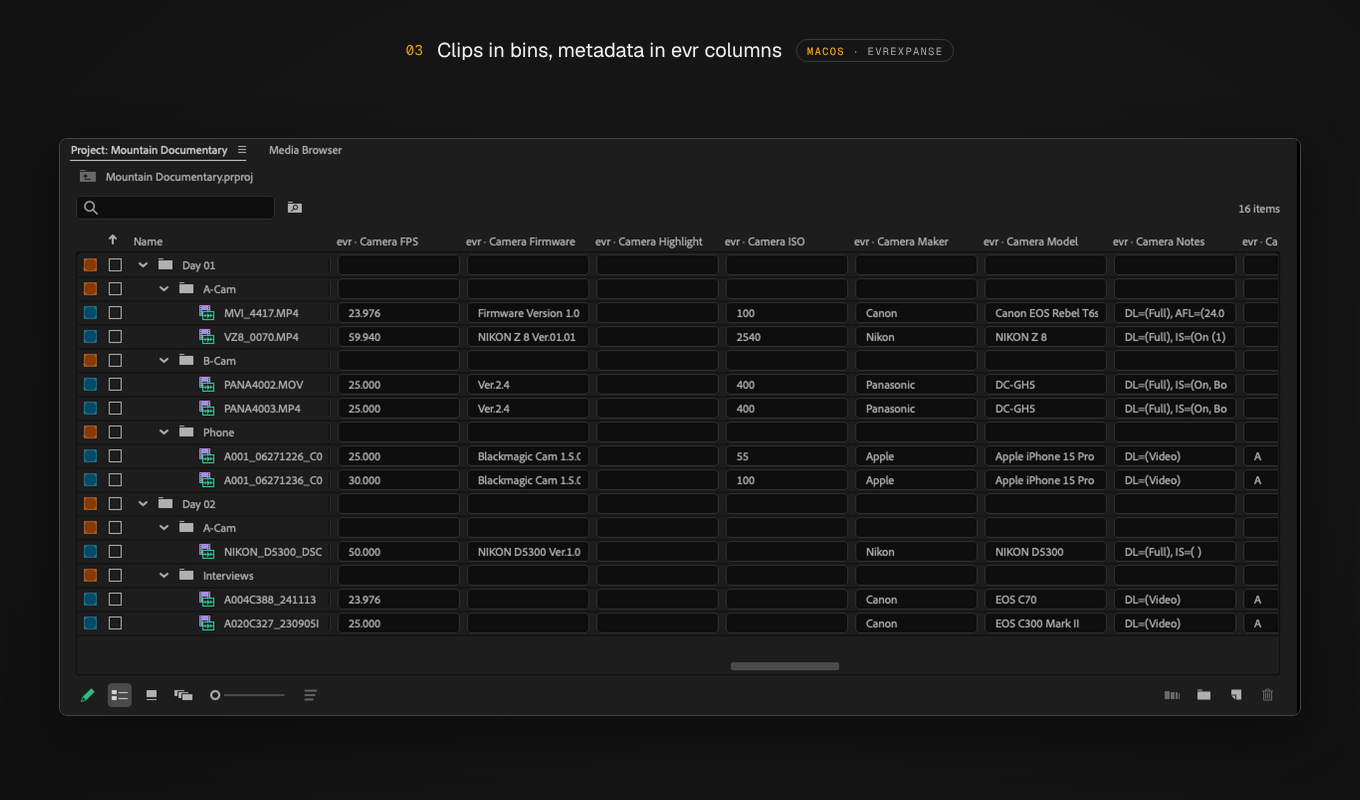
- Write every value in its own
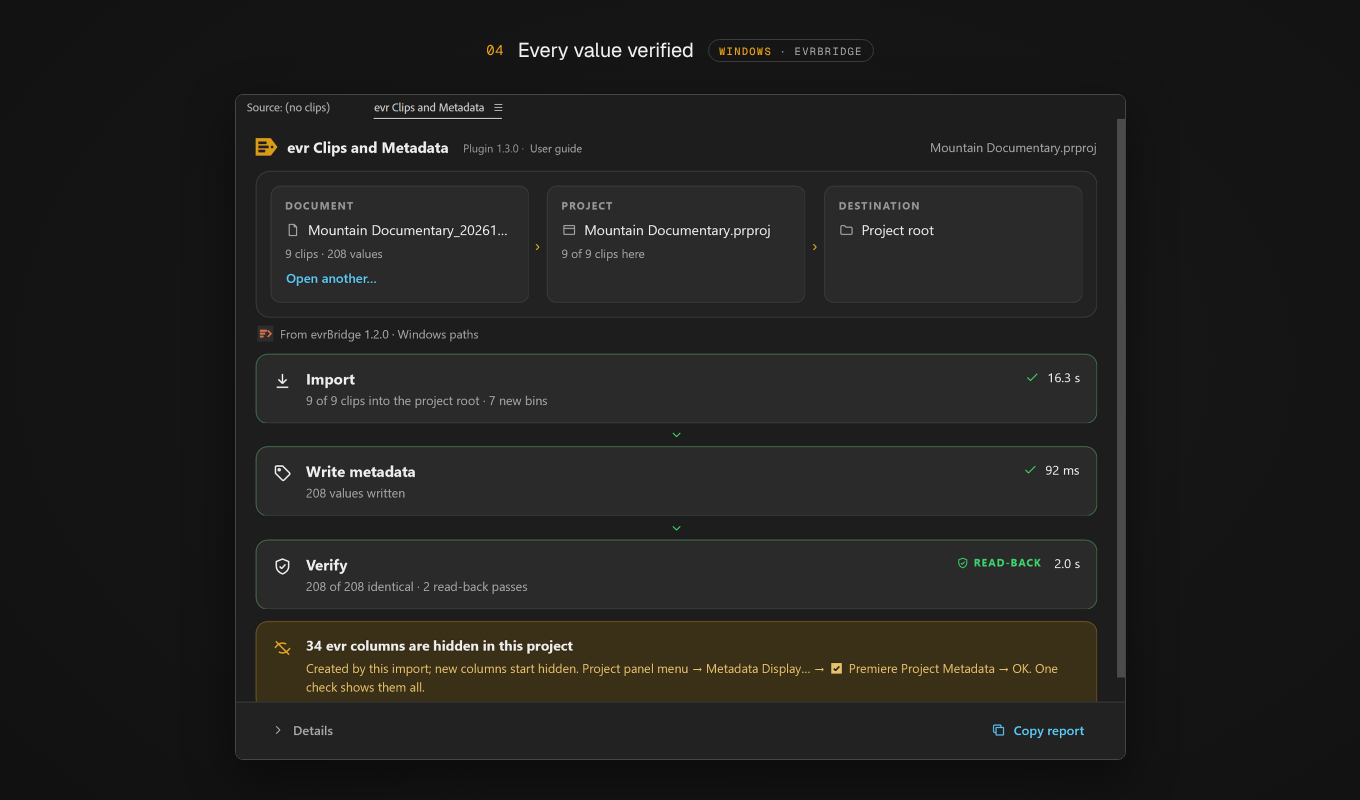
evrcolumn: date recorded, timecode, camera, lens, ISO, shutter, white balance, codec, color space and more, as your camera recorded them. - Verify: the panel reads every value back and tells you how many were written correctly.
Before anything happens, the panel shows the plan: clips to import, bins to create, values to write.
Find any shot in seconds
Type a lens, a camera model, a log profile or a serial number in the Project panel search: Premiere shows only the clips that match. It works even with the columns hidden.
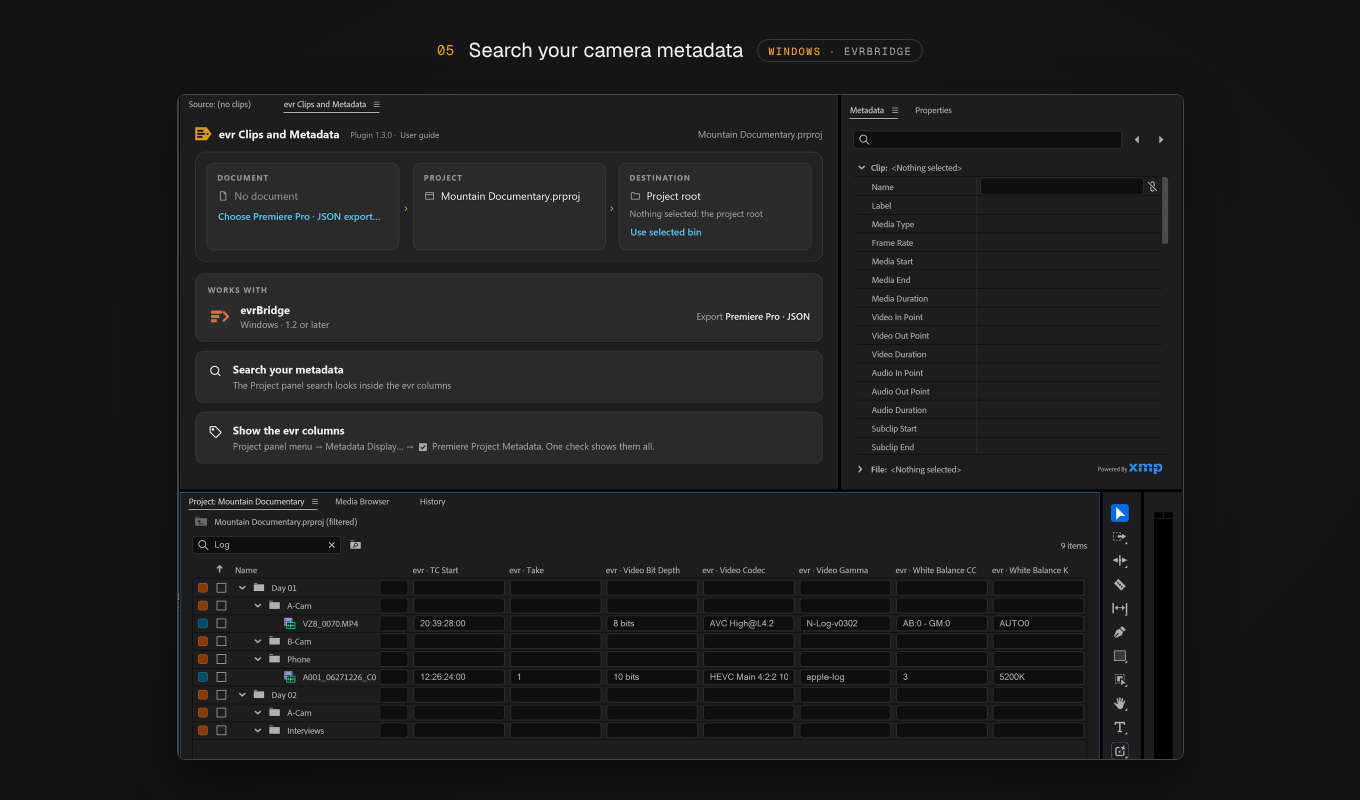
Safe for original footage
- Your camera files are never touched: the metadata goes into the Premiere project only.
- Clips already in the project stay exactly where you put them.
- Run the same export again at any time: only what changed gets written.
- Every run ends with a plain-text report you can copy.
- No account, no telemetry, no network requests.
Works with
| System | Export | |
|---|---|---|
| evrExpanse 7.3 or later | macOS | Premiere export format, written after each offload |
| evrBridge 1.2 or later | Windows | Premiere badge, for any folder of clips |
Requires Adobe Premiere 25.6 or later and the Adobe Creative Cloud app. On a computer where you only edit, the exported file is all you need, as long as the clips are at the same paths.
Install
- Adobe Marketplace, on macOS and Windows: in Creative Cloud › Stock & Marketplace › Plugins, search for evr Clips and Metadata.
- From evrExpanse, on the Mac where you offload: evrExpanse carries the plugin and installs it without going online.
Then open it in Premiere from Window → UXP Plugins → evr Clips and Metadata. The user guide covers every step.
Try it
Nine clips from a mountain documentary, with the export file and instructions.
- macOS: Mountain_Documentary.dmg
- Windows: evr_Test_Kit_Windows.zip, to extract into
C:\Users\Public\
What's new in 1.3.0
- Windows support, with the file exported by evrBridge 1.2 or later.
- After you choose a file, the panel shows which app made it and for which system.
- Clearer messages when a file can't be used, and the plugin version and user guide link at the top of the panel.
Support
Questions or a report to share: support@evrapp.cloud. Every run has a report you can copy from the panel.
Adobe, Adobe Premiere and Creative Cloud are either registered trademarks or trademarks of Adobe in the United States and/or other countries. evr Clips and Metadata is not made or endorsed by Adobe.